


Flappy Dunk
4.526.62K Reviews
App Specs
- Version
- 2.16
- Updated On
- License
- Free
- Downloads
- 10,000,000+
- Developer
- VOODOO
- Categories
- Arcade
- Platform
- Android, iOS
Screenshots
 Analysis by AppCompare
I find Flappy Dunk works best in the small gaps that appear in an ordinary day: a few minutes before a bus arrives, a short break between tasks, or a relaxed turn while someone else is choosing what to watch. Its basketball-and-tapping premise is easy to understand without a tutorial-heavy commitment, but the timing takes practice. That makes it a tempting shared-device game, provided everyone is happy to take turns rather than treat it as a long, coordinated activity.
Passing the phone around without turning it into a contest
In a household, I’d use it as a simple “your turn, my turn” game. One player tries to send the winged ball through hoops, then passes the device on when the run ends. Because the goal is immediately visible, a new player can understand what is happening by watching for a moment. There is no need to explain a complicated basketball rulebook before anyone can join in.
That simplicity has a trade-off: the appeal is mostly in beating a personal score and improving your timing. It is not the kind of game I would choose when a group wants a shared campaign, a deep team strategy, or a story everyone can discuss. A family member can cheer from the sofa, but the main action still belongs to whoever is holding the screen.
For a fairer shared session, I’d agree on a small number of attempts or a short turn before starting. That keeps the game from becoming an endless “one more try” loop for the most competitive player. It also makes it easier for younger or less practiced players to join without feeling that they have to match someone who has already built up muscle memory.
Keeping expectations clear on a shared device
Flappy Dunk is a free arcade game from VOODOO, and its quick rounds make it easy to open casually. On a device used by more than one person, I would still set the usual household boundaries: decide who is allowed to install games, whether purchases require an adult’s approval, and which account is used for any store activity. Those are sensible device habits rather than special controls I would expect this game to provide.
There are in-app purchases, with listed item prices ranging from $0.99 to $79.99. That range is worth discussing before handing over a device that can make purchases. I would not assume a child can distinguish a cosmetic extra from something essential just because the core game costs nothing; agree on a purchase rule first, and use the device’s own account and purchase settings where appropriate.
A second practical point is progress and turn-taking. If several people use the same device, decide whether the score is a personal challenge or a shared household record. Otherwise, a younger player may feel that someone else has overwritten their achievement, even when the game is simply being played in the same shared space. I’d avoid promising that separate household members will have separate progress unless you have checked how the game behaves on the device you use.
Worth Reading Before You Choose

EA SPORTS FC Mobile 26 Is a Bigger Football Game, but It Takes Time

Flipboard Shows What News Apps Must Do Beyond the Feed

Switching to Android Auto Means Rethinking Your Driving Routine

Google Calendar Makes a Crowded Week Easier to Manage

Ludo King Makes the Most of the Minutes Between Plans

Baby Panda World Brings Quick Play to Modern Phones, but Its Game Library Feels Busy
Age, patience, and the right kind of challenge
The game is rated Everyone, so its basic presentation is suitable for a broad audience. For children, the main consideration I would focus on is temperament rather than complicated content: the one-touch control is straightforward, but repeated near-misses can be irritating. A child who enjoys trying the same skill again may find that satisfying; someone who gets upset when a run ends quickly may prefer a gentler game with less emphasis on precision.
I’d also treat “easy to start” and “easy to master” as different things. A first-time player can tap immediately, but consistent hoop timing takes patience. If you are introducing it to someone younger, a useful approach is to make the first few turns about learning the rhythm, not comparing scores. That keeps the challenge playful instead of making every missed hoop feel like a failure.
The game’s average rating is 4.5 from around 224,000 ratings, and it has passed 10 million installs. Those figures suggest it has found a substantial audience, but they do not tell me whether it suits a particular child or household. I’d judge that by watching a short play session: does the player enjoy retrying, or do they want a more varied activity after a couple of misses?
Gameplay and Mechanics
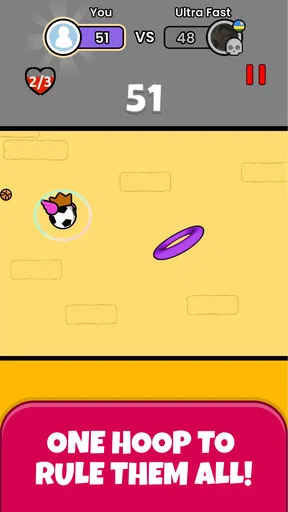
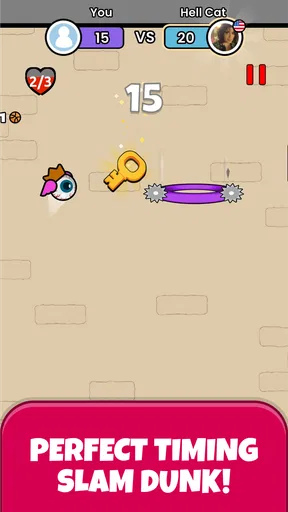
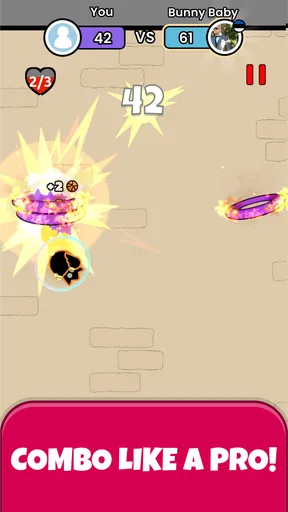
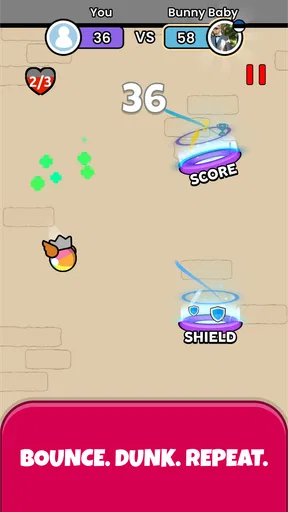
So, what’s the deal with Flappy Dunk? The concept is pretty straightforward. You control a basketball with wings, tapping your screen to keep it aloft while trying to pass through hoops. The more hoops you pass through without crashing, the higher your score. It’s a simple premise, but trust me, mastering it is a whole different ball game.
The controls are easy to grasp: tap to flap. But don’t let the simplicity fool you. The game’s difficulty ramps up quickly, demanding precision and perfect timing. It’s this blend of simplicity and challenge that keeps you coming back for just one more round.
Visuals and Sound
Visually, Flappy Dunk is pleasingly minimalistic. The graphics are clean and straightforward, focusing your attention on the gameplay rather than flashy distractions. The sound effects are subtle but effective, with the satisfying swoosh of passing through a hoop and the familiar thud when you miss one.
One neat feature is the ability to unlock different skins for your ball and hoops as you progress. These cosmetic changes provide a fun incentive to keep playing, especially if you’re a completionist who loves to collect everything.
Making short sessions work for you
In my experience, the most useful way to approach a run is to focus on the next hoop rather than trying to plan several moves ahead. The ball’s movement is controlled by taps, so a frantic stream of inputs can make it harder to judge what each tap actually did. A deliberate rhythm gives you clearer feedback: you can notice whether you tapped too early, too late, or more often than necessary.
I also wouldn’t use a high score as the only measure of whether a session went well. When you are learning, a run that reaches one hoop farther because your timing improved is a better sign than a lucky streak you cannot repeat. This is especially helpful when passing the device around: each player can work on a small improvement instead of feeling that they need to beat the best score immediately.
The uncluttered presentation helps here. There is little visual competition for your attention, which makes the moving ball and hoop the obvious focus. The flip side is that the experience is intentionally narrow. If you want a basketball game built around matches, player choices, or realistic court play, this is not a substitute; its appeal is the compact timing challenge, not a full sport simulation.
Addictive Challenges and Modes
Now, let’s talk challenges. Besides the endless mode, Flappy Dunk offers various missions that add a fresh layer of excitement. These missions vary in difficulty and require you to complete specific tasks, keeping you on your toes. Completing these challenges earns you stars, which can be used to unlock new skins.
The game also features a time-limited mode where you need to score as many points as possible within a set period. This mode is perfect if you’re looking for a quick gaming fix but don’t want to commit to a lengthy session.
Choosing a mode to match the moment
I’d pick a mode based on how much attention I can give it. Endless play is a natural fit when I want to settle into the timing and see how far I can go. A mission gives a session a more specific aim, which is useful when repeating the same basic action starts to feel too open-ended. The timed option suits a brief break because it gives the attempt a clear boundary rather than leaving me to decide when to stop.
There is a small but useful trade-off between chasing objectives and playing casually. Missions can make a run feel purposeful, but if a task asks for a particular kind of performance, it may encourage repeated attempts after I would otherwise have put the phone down. I’d treat the stars and unlocks as a bonus rather than a reason to keep playing when I have lost interest. The core tapping challenge should be enjoyable on its own.
That also makes the game a better fit for short, self-contained breaks than for a long commute where I want a changing sequence of activities. Its modes alter the goal, but the basic interaction remains the same. If you need frequent changes in scenery, mechanics, or story, a broader arcade collection or a game with varied stages will probably hold your attention longer.
How it compares with other arcade choices
Compared with a typical endless runner, Flappy Dunk asks for less steering and fewer decisions about routes or obstacles. You are concentrating on tap timing and the hoops, not navigating a character through a busy course. That makes it easier to understand at a glance, but also means there is less variety in the moment-to-moment play than in runners that introduce different hazards or actions.
Against a conventional basketball game, the difference is even clearer. There are no court tactics to learn in the basic loop described here; the ball’s flight and the hoop are the whole point. I’d recommend it to someone who likes compact arcade tests and quick retries, not to someone looking for a realistic shooting challenge or multiplayer match. Its strength is the immediacy of the control, and its limitation is that the same precision demand can become repetitive.
One practical tip is to play when you can give the screen your attention. The input is simple, but interruptions can break your rhythm, and a round can end before you have time to settle back in. If you are waiting somewhere and expect to be called at any moment, the short format is convenient; if you are walking, crossing a street, or meant to be listening to someone, put it away. A one-touch game is still a screen-focused game.
Who will enjoy it—and who may want something else
I think it is a good match for people who like retry-based arcade games, want a challenge that can be understood without a long introduction, and are content to improve through repetition. It can also work as a shared-device diversion when turns are kept brief and nobody expects a deep cooperative experience. The missions offer a reason to return, while the cosmetic unlocks give collectors a modest goal beyond a score.
I would steer away from it if you dislike games that punish small timing mistakes, need a substantial offline-style progression structure, or want every session to feel mechanically different. It is also not my first choice for a household looking for a game where everyone participates at once. For those situations, a turn-based party game or a more varied arcade title is likely to be a better fit.
The current version is 2.13, and the stated minimum operating system is 8.0. It is free to download, with optional in-app purchases, so the sensible decision is to try the basic play first and decide whether the repeated timing loop suits you before spending anything. Its Everyone age rating is reassuring as a broad content signal, but it does not replace a household’s own rules about screen time, purchases, or shared accounts.
Overall Experience
In the grand scheme of mobile gaming, Flappy Dunk doesn’t reinvent the wheel, but it doesn’t need to. It nails what it sets out to achieve: offering a quick, addictive experience that’s perfect for killing time. Whether you’re on a short break or waiting for a friend, this game has just the right amount of challenge to keep you entertained.
So, if you’re in the mood for something that’s easy to pick up yet hard to put down, give Flappy Dunk a shot. Just be prepared for the inevitable frustration when you miss that crucial hoop by a hair!
A sensible household verdict
For shared use, I’d call it a convenient little arcade option rather than a family game that requires everyone to coordinate. The rules are visible, the turns can be short, and different ages can understand the objective quickly. The friction comes from the same place as the fun: a missed tap can end a promising run, and the urge to retry may stretch a supposedly tiny break.
My recommendation is to try it if you enjoy improving a precise one-touch skill, and to set simple boundaries if children use a shared phone or tablet. Keep purchase approval and account access clear, make turns fair, and don’t expect separate household profiles or team play to solve coordination for you. If your group wants a score-based challenge that can be passed around in a few minutes, it earns a place on the device; if you want richer basketball, deeper variety, or genuinely cooperative play, choose a different game.
Pros
- Addictive and simple gameplay.
- Smooth and responsive controls.
- Challenging levels increase engagement.
- Visually appealing graphics.
- Quick sessions for short breaks.
Cons
- Repetitive gameplay can become monotonous.
- Limited variety in game modes.
- In-app purchases can be pricey.
- Ads can be intrusive at times.
- No offline play available.
FAQs for Flappy Dunk
What is Flappy Dunk and how does it work?
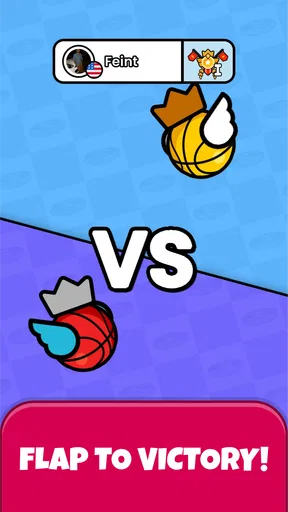
Flappy Dunk is a mobile game that combines the mechanics of Flappy Bird with basketball. Players tap the screen to make a basketball with wings flap through hoops. The objective is to continuously score by passing through hoops without touching the ground or missing a hoop. It offers endless gameplay, challenging players to beat their high scores.
Is Flappy Dunk free to play, and does it have in-app purchases?
Flappy Dunk is free to download and play on both Android and iOS devices. However, it does offer in-app purchases. These purchases can include options to remove ads or buy new skins and customization features to enhance your gaming experience. While not necessary to enjoy the game, they can add extra flair.
What are the main features of Flappy Dunk?
Flappy Dunk features simple yet addictive gameplay, with a focus on skill and precision. Players can unlock a variety of skins and balls. The game also includes multiple levels and challenges, providing varied objectives and increasing difficulty. Its competitive nature encourages players to beat their own and others' high scores.
Does Flappy Dunk require an internet connection to play?
Flappy Dunk can be played offline, making it a great option for on-the-go gaming without needing an internet connection. However, certain features, like leaderboards or updates, may require internet access. Playing offline also means players won’t encounter ads, which can enhance the overall experience.
What devices are compatible with Flappy Dunk?
Flappy Dunk is compatible with most Android and iOS devices. It runs smoothly on both smartphones and tablets, provided they meet the basic system requirements. Regular updates ensure compatibility with newer devices and software versions, making it accessible to a wide range of users.


